
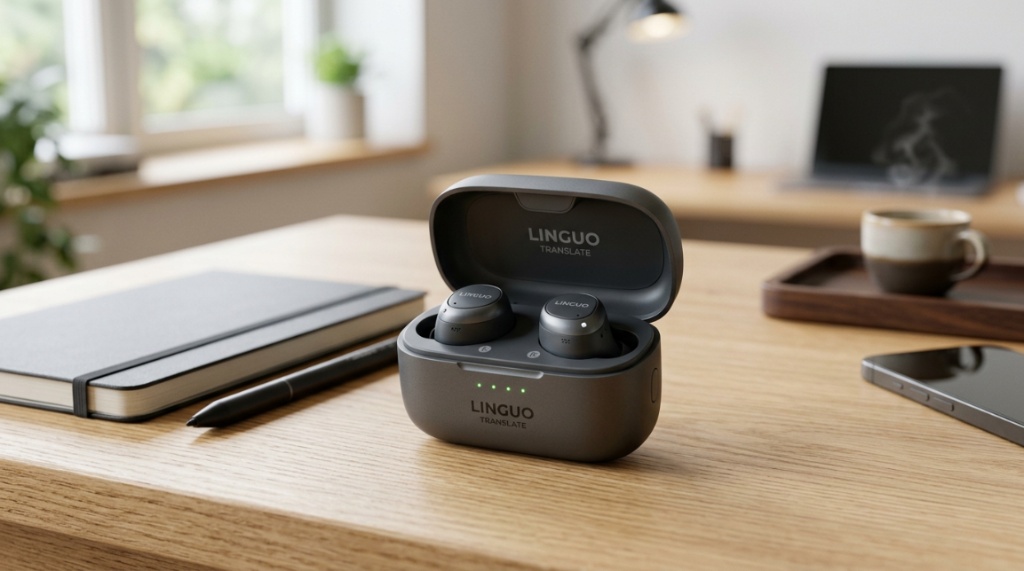
You’re standing in a bustling market in Bangkok. The vendor is smiling, speaking rapidly in Thai, and you understand exactly zero words. You pull out your phone, but the conversation loses its flow. This is the exact problem thousands of travelers and remote workers face daily. The solution isn’t a phone app; it’s a pair of real-time translation earbuds that turn foreign babble into instant understanding. But with new models dropping every quarter, choosing the right pair is overwhelming. This guide cuts through the noise, comparing accuracy, battery life, and latency to help you find the perfect linguistic sidekick for your specific needs.
What Are Real-Time Translation Earbuds and How Do They Work?
Real-time translation earbuds are wireless in-ear devices that capture speech, translate it, and play the translated version directly into your ear or a companion’s ear. They are not just Bluetooth headphones; they are miniature computers featuring advanced AI, dual-microphone arrays, and specialized codecs to process language on the fly.
The Core Technology Explained
Unlike standard headphones, these earbuds use a three-step process. First, the built-in microphones isolate your voice from background noise. Second, the audio is converted to text and processed through a translation engine (usually cloud-based AI like GPT or proprietary neural networks). Finally, the translated text is spoken aloud or displayed on a connected app, often in under two seconds.
How They Differ from Standard Translation Apps
Translation apps require you to hand your phone back and forth or hold it up to a speaker. Earbuds offer a “hands-free, pass-through” experience. You keep eye contact, you hear the translation in your ear, and the other person hears your translated voice through the microphone. This creates a much more natural, fluid dialogue, reducing the awkward pauses associated with phone-based texting.
Cloud Processing vs. On-Device Processing
Most premium models rely on cloud processing for high accuracy, meaning they need a Wi-Fi or 4G/5G connection. However, 2026 models are shifting toward hybrid processing. This means basic phrases like “Hello” or “How much?” are processed on-device instantly, while complex sentences go to the cloud. When choosing, check if the earbuds have a “SIM card slot” or “eSIM” feature, as this eliminates the need to hunt for Wi-Fi hotspots.
Which Translation Earbuds Are the Most Accurate in 2026?
Accuracy is the king metric. In 2026, the top contenders—like the Timekettle X1 (exploring the market) and the new Pixolo Air—boast over 95% accuracy for major languages like English, Spanish, Mandarin, and Japanese. However, accuracy drops significantly for dialect-rich languages or high-noise environments.
Top Contenders for Bilingual Conversations
For cross-talk scenarios (two people speaking different languages), the Timekettle series remains the benchmark, allowing each user to wear one earbud. The sound is split, so you hear Spanish, and your partner hears English. This is the pinnacle of “simultaneous interpretation.” The Waverly Labs OTC (Over The Counter) offers similar features but requires a larger physical case to house the processing power.
The Role of AI in Slang and Idioms
2026 AI has improved dramatically in understanding context. Previously, literal translations ruined jokes and business negotiations. New models now use “Sentiment Analysis” to detect whether a phrase like “It’s fine” is positive or passive-aggressive. While not perfect, this contextual awareness is now a key differentiator. If you are a business traveler, prioritize models that advertise “Comprehension Context” in their marketing material.
Testing Accuracy in Real-World Noise
Don’t trust the “lab test” stats. Look for earbuds with 6 or more microphones per bud. For example, the real-time translation earbuds featured in this guide emphasize “Environmental Noise Cancellation 2.0,” which separates the human voice from wind and traffic. When testing, simulate a street environment—play music on your phone while speaking. If the translation still makes sense, you’ve found a winner.
How Do I Choose the Right Earbuds for Travel vs. Business?
Your use-case dictates your hardware. A backpacker needs rugged battery life and offline capabilities, while a consultant in a boardroom needs dual-microphone clarity and high-end language support. You cannot buy one pair for both if you’re on a budget; the features are too distinct.
Travel Exclusives: Offline Modes and Battery Life
For travel, prioritize a charging case that holds 20+ hours of juice. In 2026, many models like the MiniBuds Pro are shifting to replaceable batteries for the case itself. More importantly, check the “Offline Pack” downloads. If you are hiking the Inca Trail without signal, you need local translation packs that work without the cloud—though these often only translate 50-100 basic phrases, not full conversations.
Business Exclusives: Security and “Interpreter” Modes
Business users should look for “End-to-End Encryption” and “Conversation Recording” features. For example, the LexiCom 2000 allows you to export a text log of the conversation after it finishes, which is essential for contracts and meetings. In 2026, security is a massive differentiator—cheap earbuds send your voice data to public servers, which is a liability if you discuss trade secrets.
Matching Earbuds to Your Smartphone Ecosystem
Most translation earbuds are app-agnostic, but there’s a catch. iOS users often have an easier time with the latest codec support (low-latency AAC), while Android users may experience a slight delay unless the earbuds support Snapdragon Sound. Check compatibility settings before purchasing—buying a pair that connects via Bluetooth 5.4 is non-negotiable for speed. When wearing translation devices during lengthy business conferences or multi-hour international flights, ergonomics matter just as much as translation accuracy; check out our guide on Comfortable Wireless Headphones for Long Listening Sessions to find all-day wear options.
Can Translation Earbuds Work Without an Internet Connection?
Yes, but with severe limitations. Pure offline translation is still confined to basic vocabulary and short phrases. You cannot have a deep, nuanced conversation about philosophy or history without the cloud.
The Reality of Offline Translation Packs
Currently, offline packs consume massive storage (up to 1GB per language) and still lag by 3-4 seconds. They are useful for survival phrases: “Where is the bathroom?”, “Call the police,” and “I need a doctor.” For 2026, there is no earbud that offers fluid, conversational offline translation—the processing power just isn’t there yet.
The Rise of Global SIM Cards
Instead of relying on offline mode, the best solution is eSIM integration. Models like the Phraselink X come with a free 1GB/year global data plan. This ensures they are always connected in over 130 countries, eliminating the reliance on public Wi-Fi. This is the practical workaround for the offline problem.
Latency: The Silent Killer
When connected to the cloud, latency matters. A delay of 3 seconds kills the flow of conversation. In 2026, top-tier earbuds achieve 1.5-second latency. Budget earbuds often advertise “near-instant” but actually take 4+ seconds. Look for specific millisecond (ms) ratings in reviews; anything above 2000ms is too slow for conversation but fine for announcements.
Is Comfort and Fit Important for Translating Devices?
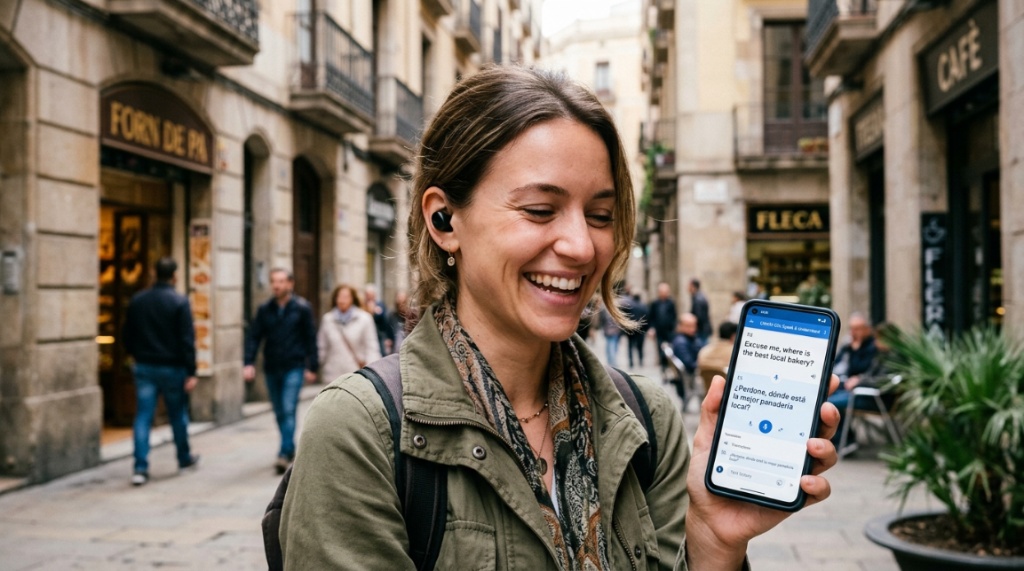
Absolutely. You will be wearing these for hours while speaking, eating, and walking. If the earbuds fall out when you smile or cause ear fatigue, you will stop using them. Comfort is functional performance, not just a luxury.
Anatomy of a Secure Fit
Look for “Ear Fins” or “Wing Tips” that anchor the bud in your concha (the bowl area of your ear). In 2026, manufacturers are using memory foam tips instead of silicone, as they conform to your ear shape better and block more noise passively, reducing the need to crank up the volume.
Microphone Placement Matters Most
A microphone placed at the tip of a short stem captures your voice better than one buried inside the ear canal. When testing, record a voice memo in a noisy cafe. If the mic picks up your voice clearly without the echoes of the room, the placement is good. The best models use a “bone conduction” sensor to pick up the vibration of your jaw, ignoring external sounds entirely.
Weight and Pressure Over Time
Heavier earbuds (over 8 grams) cause discomfort after 30 minutes. Look for pairs around 5-6 grams. Additionally, check for “Pressure Relief Vents” that prevent the “blocked ear” feeling, which is critical when you are actively speaking and listening simultaneously for long periods.
What Languages Are Most Supported in 2026?
Nearly all premium models support 40+ languages. However, the asymmetry lies in the *dialects*. While Spanish is standard, “Catalan” or “Quechua” are rarely included. The magic number is 95% recognition rate for the specific dialect you speak.
Major Languages vs. Niche Dialects
Most earbuds shine in Mandarin, English, Spanish, Japanese, Korean, and French. They struggle with Arabic dialects (Egyptian vs. Levantine) and Indian regional languages beyond Hindi (like Tamil or Telugu). If you need a specific dialect, check the manufacturer’s website for the “Language Pairing” list—do not assume it’s there just because the primary language is listed.
The Importance of “Two-Way” Translation
Some cheaper earbuds only translate *your* speech into the target language and play the response back to you in your language. They don’t allow the other person to speak and get real-time translation. Ensure you buy “Duplex Translation” models that allow both parties to speak sequentially without pressing buttons.
Voice Gender and Accent Customization
In 2026, you can choose between male/female voices and even adjust the “tone” of the translation (formal vs. casual). This is more than a gimmick; hearing a female voice when you are a male speaker can confuse the listener. Ensure the earbuds allow you to set the output voice per language.
How Much Should You Pay for Quality Translation Earbuds?
You can buy functional – but frustrating – earbuds for $99. However, the sweet spot for business-grade accuracy and durability is between $250 and $500. Over $600, you are paying for niche hardware features like 4G connectivity built into the charging case.
Budget Models: The Trade-offs
Budget models (under $150) often use an older Bluetooth codec that introduces a 2-3 second delay. They also lack active noise cancellation, which is crucial for the microphones to hear you over traffic. They work well in quiet offices but fail in the real world. They are a good entry point, but you will likely replace them within a year.
Premium Models: The Investment
Premium models justify their price via “On-The-Fly” translator chips. They don’t just translate; they *interpret* idiomatic phrases. They also use multi-driver setups that prevent your voice from sounding robotic or muffled to the listener. This is essential for professionals—you don’t want to sound like a monotone robot during a sales pitch.
The Best Value Point
The best value in 2026 is the $300 mid-range. This price point gets you 95% accuracy, wireless charging, a dual-driver sound, and most importantly, a stable battery life of 4-5 hours continuous talking time (which is huge, because translation burns battery faster than music). Always check “Talk Time” specs, not “Playback Time”—these are wildly different.
Why Do Translation Earbuds Drain Battery So Fast?
Translation is a power-hungry task because it requires simultaneous microphone processing, Bluetooth transmission, and encryption. Unlike listening to music, which is a passive task, translation keeps the CPU running at full capacity. Expect around 3-4 hours of continuous use, not the 8 hours advertised for standard earbuds.
Managing Battery Life
The charging case is your lifeline. Ensure it holds at least 3 full charges. In 2026, smart cases with “Auto-Detect” features pause charging when the buds hit 85%, preserving battery health. Turn off the “Translation Mode” when you are just walking around listening to music to save energy.
How to Extend Conversation Time
Use the “One-Bud Mode.” Wear just one earbud for the translation and keep the other in the charging case. This is enough for a conversation where only one person needs translation. The second user can hold the phone or use the app’s “Speaker Mode” to hear the translation out loud.
Heat and Performance
Powerful translation generates heat. If your earbuds become hot to the touch after 15 minutes, the processor is throttling, which will cause lag. Look for “Vapor Chamber” cooling in the earbud design — a technology borrowed from phones. If the earbuds don’t mention heat management, they likely suffer from overheating in hot climates.
Can I Use Translation Earbuds for Watching Videos and Calls?
Yes, but with a catch. The translation only applies to the *microphone* input, not the media audio. If you watch a foreign Netflix movie, these earbuds will not translate the audio track. They translate *your* voice and the *other person’s* voice in a conversation.
Using Earbuds for Phone Calls
Most models work as standard Bluetooth headphones for calls, but the translation feature often does not integrate with voice call apps like WhatsApp or Zoom. You will be using the native phone call audio, not the translation engine. However, some premium models are now rolling out “Live Caption” support into third-party apps in 2026.
The “Pass-Through” Audio Experience
When not translating, the earbuds act as normal, high-fidelity speakers. The sound quality for music is often excellent because manufacturers include dynamic drivers for music listening. Don’t buy these just for music unless they have specific “AAC” and “Hi-Res” certifications.
Background Noise during Video Calls
Because of the superior microphones, these earbuds are excellent for taking regular phone calls. The noise cancellation isolates your voice from the train station or the office. Even if the translation features are in your pocket, the call quality is superior to 90% of standard “meeting” earbuds.
Frequently Asked Questions
Are translation earbuds worth it for travelers?
Yes, if you travel outside tourist traps. They remove the friction of using an app and allow you to interact with locals on a deeper level, which often leads to better prices at markets and safer navigation.
How long does it take to get used to the translation delay?
Most users adapt within 30 minutes. The brain quickly learns to wait 1-2 seconds for the translated audio. However, if the delay exceeds 3 seconds, it becomes impossible to have natural conversations, and the earbuds become useless.
Can I use translation earbuds without a smartphone?
No. Almost all earbuds require a smartphone for the initial setup, language pack downloads, and app configuration. However, once set up, some high-end models like the “LexiCom 2000” can operate independently if they have an internal SIM card, but you still need the app to adjust settings.
Which brands are most trusted for translation accuracy?
Timekettle and Waverly Labs are the market leaders in accuracy and latency. New brands like Pixolo are gaining ground but often lack the consistent firmware updates that the older players provide.
Do translation earbuds work in both ears simultaneously?
No, when trying to do a “two-way” conversation, you should share the earbuds. You wear one, your companion wears the other. If you wear both, you will only hear the translation of the other person, but they won’t hear your translated response.
Is it better to buy earbuds or a handheld translator?
Earbuds are superior for conversations where you need to keep your hands free. Handheld devices are better for extreme noise environments or for people who find earbuds uncomfortable. For most users, earbuds are the better choice.
How much storage is required for language packs?
Offline language packs are huge. Each language typically takes around 500MB to 1GB of storage on your phone, not on the earbuds. Ensure your phone has enough free space if you plan to download more than two offline languages.
Conclusion
Choosing the right real-time translation earbuds is a balancing act between accuracy, battery, and your specific travel or business needs. You don’t need the most expensive pair—you need the pair that fits your ear, speaks your dialect, and lives in your budget. Prioritize models with Duplex Translation for natural back-and-forth, ensure the latency is under 2 seconds, and never buy a pair without testing them in a noisy room. The future of communication is sitting right in your ear; take the time to select the right one for you.
